Wednesday, July 20, 2011

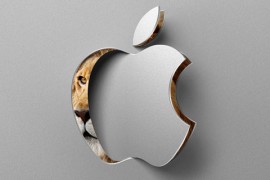
Apple Mac OS X Lion available now in the App Store

For 'developers' willing to shell out $99 for an annual membership in Apple's group of Mac OS app creators, Lion is old news but the rest of you can finally download Apple's latest operating system -- Mac OS 10.7 -- by hitting up the App Store on your Snow Leopard (10.6.8)-equipped Mac, assuming it's powered by an Intel Core 2 Duo, Core i3, i5 or i7 processor. From our experience with the pre-release version, the 4GB download could take over an hour, even on a high-speed connection, but once you have the installer in hand the upgrade process itself should be complete in about 20 minutes. We'll be posting a full review of Lion later this week, but you can check out our hands-on preview for a sneak peek at Apple's latest consumer OS in the meantime.

Watch the hands on here

List of new features at Wikipedia.

source: Engadget

Thursday, May 26, 2011

All about Bitcoin: The Digital/crypto currency

What is BitCoin ??

BitCoin is a concept of digital currency that can be exchanged between users electronically, securely without the help of any third party gateways. Designed by Satoshi Nakamoto in the year 2008, this concept uses asymmetric key cryptography to encrypt data. Users have to share their public key to the remote party who wish to send BitCoins. Users will have to download the Bitcoin Client software to adopt this currency.


Why the Hype ??

Recent weeks have been exciting for a relatively new kind of currency speculator. In just three weeks, the total value of a unique new digital currency called Bitcoin has jumped four times, to over $40 million

How does BitCoin works??

When you perform a transaction, BitCoin client does the encyphering of the data using your private key and transfers it over a distributed BiCoin network where in other BitCoin clients not involved in the transaction can verify the data. The data verification is done using the public key shared and a public log which is tracks if you have enough BitCoins to be spent.

Secure ??

The nature of the math used in BitCoin ensures an easy way to compute the transaction but it is practically impossible to generate fake transactions. The existence of BitCoin public log traces each and every single BitCoin spent.

How to Obtain BitCoins ??

Mt.Gox is one such exchange where users can trade BitCoins. Some enthusiasts have also started doing work, such as designing websites, in exchange for bitcoins. This jobs board advertises contract work paying in bitcoins.

Where to spend ??

There aren't a lot of places right now. Some Bitcoin enthusiasts with their own businesses have made it possible to swap bitcoins for tea, books, or Web design (see a comprehensive list here). But no major retailers accept the new currency yet.

Wednesday, May 25, 2011

The Mobile Wallet is here. Cheers.!

NFC strikes.! Mobile Phones are not merely communicating devices anymore. The first NFC application is launched in the U.K. Shoppers can now use their mobile phones to pay their bills on purchases made. Although it is not fully adopted by the vendors in the market, McDonalds, EAT, Subway, LittleChef are among the shops signed up to this service quoted BBC.

Users wishing to use the system will need Orange and Barclaycard accounts as well as a handset (NFC supported) set up for contactless payments. Only purchases up to a value of £15 can be made using the service but users can preload their mobile with up to £100. The service is made possible by Near Field Communication (NFC), the short-range wireless technology that underpins many wireless payment systems.

Currently there are 50,000 stores with NFC-enabled readers in the UK.Some 12.9 million credit and debit cards are already in circulation. I Reckon its just the beginning of a new revolution in the smart phone era and can only dream of when this service is going to launch in India.!

source: BBC

Tuesday, May 24, 2011

The Invisible iPhone

This one is probably the best and will be my favorite at least for quite some time. yes, thats right, an invisible iPhone. The new interface allows you to answer your phone calls or use apps all by tapping your hands when your iPhone is hiding in your pockets. According to what i have read from different online technology sources is what i am quoting here:

 The “imaginary phone” determines
 which iPhone app a person wants
to use by matching his or her
 finger position to the position of
the app on the screen.
Researchers in Germany are working on an interface that would relay your hand tapping to your phone which means that you can access your phone by actually not touching it. An Imaginary phone system relays your palm tapping to the phone thats in your pocket. Sounds spectacular doesn't it? Read on..

The concept relies on a depth-sensitive camera to pick up the tapping and sliding interactions on a palm,  software to analyze the video, and a wireless radio to send the instructions back to the iPhone. Patrick Baudisch, professor of computer science at the Hasso Plattner Institute in Potsdam, Germany, says the imaginary phone prototype "serves as a shortcut that frees users from the necessity to retrieve the actual physical device."

The researchers used a depth camera similar to the one used in Microsoft's Kinect for Xbox, but bulkier and positioned on a tripod. (Ultimately, a smaller, wearable depth camera could be used.) The camera "subtracts" the background and tracks the finger position on the palm. It works well in various lighting conditions, including direct sunlight. Software interprets finger positions and movements and correlates it to the position of icons on a person's iPhone. A Wi-Fi radio transmits these movements to the phone.


Monday, May 23, 2011

PiezoElectric stadium in India

PiezoElectric Stadium is a gorgeous solar-powered energy generating architecture that just broke ground in india which will generate the electricity from the crowd that enters its gates. Amazing isn't it.?


The Piezoelectric effect creates a charge of electricity between the differential of two metal plates when struck. Energy could be generated by a sidewalk embedded with these materials.

Each section, or ripple, contains a different sporting activity space. The “droplets” vary in size, design and purpose, but Studio Symbiosis, the designer of this project,  unified each section by designing them to symbolize individual pebbles in a pond. The complex emulates the ebb and flow of a swelling pond, and therefore gradates into the existing landscape rather than obstructing it.

The complex is a sort of “sports city” that was designed to minimize congestion — a pedestrian walkway will be constructed down the middle, and opposing roadways surround the perimeter. The walkway brings visitors closer to the action and away from the surrounding urban environment and traffic.

The sports center also boasts an impressive roster of sustainable and energy-efficient building strategies. The roofs of the various stadium cells are lined with both solar and pneumatic panels, which collect and generate energy. The center’s anticipated heavy foot traffic will also be put to good use — piezoelectric generators will harness the movement of the crowds and convert it into energy. The ambitious project will continue to develop and it’s currently slated for completion in 2012.

source: inhabitat.

Wednesday, May 11, 2011

Its time our cars do the talking.! Thanks to Google.!

Google's Prediction API lets Fords learn all about you, tell you where to go.!


Yesterday, Google Revelaed its plans to make our abode more efficiently and user-friendly through Android Automation and apparently they are helping ford to do the same for our automobiles.You see, our driving habits affect the gas mileage we get, and if our cars could predict our preferred travel patterns they could optimize powertrain performance to max out our MPGs. That's why the Blue Oval Boys plan to use Google's Prediction API to learn our driving habits and combine that data with real time traffic info to make its cars increasingly efficient. The system isn't yet ready for showrooms, as there is work to be done securing the personal data and location awareness information it collects, but hopefully it won't be long before every new Ford can help us get from here to there with minimal fuel consumption. Here's hoping William Daniels is the one doling out the directions.

source:Engadget

Tuesday, May 10, 2011

Samsung unveils the 75-inch 3D Monster: D9500

Samsung has unveiled its 75-inch LCD HDTV 3D Monitor for Korea pushing back the  LG's 72-inch LZ9700. This is now the  the world's largest LED-backlit 3D LCD HDTV, and obviously Samsung's still staying faithful to its active shutter 3D technology following its recent price drop on its glasses. An ex-factory price of whooping  $17,600 is quoted for now. so customers will have to pay a bit more than that during the pre-sales at the end of the month. Alternatively, you can hold off your shopping spree until Samsung pushes out its 70-inch "Ultra Definition" 3DTV.

source: engadget

Wednesday, December 22, 2010

Scientists developing E.Coli bacteria that stores, encrypts data

source: engadget.com
Apparently it's not good enough for bacteria to cause leprosy and tuberculosis any more, as scientists have been hard at work adapting the microorganisms for use as everything from microbial fuel cells to really, really small gears. Now, researchers at the Chinese University of Hong Kong have developed a way to use a colony of E.Coli for data storage and encryption. The technique involved placing data (in this case, The Declaration of Independence) in the DNA of bacterial cells, and can even harness site specific genetic recombination to encrypt the data. That said, the technology is still in its infancy: retrieving the info is "tedious and expensive," according to Cambridge University's Tim Middleton, and there is still the possibility that as organisms mutate, so will the data. Currently the only application of all this is the storage of copyright info in genetically engineered organisms, although further research might yield a bacterial storage medium that could survive the electromagnetic pulses and radiation of nuclear fallout.

Thursday, December 2, 2010

Near Field Communication (NFC): A short ranged Bluetooth?

Near Field Communication or NFC, is a short-range high frequency wireless communication technology which enables the exchange of data between devices over about a 10 centimeter (around 4 inches) distance. NFC is primarily aimed at usage in mobile phones.

NFC communicates via magnetic field induction, where two loop antennas are located within each other's near field, effectively forming an air-core transformer. It operates within the globally available and unlicensed radio frequency ISM band of 13.56 MHz, with a bandwidth of 14 kHz. Supported data rates are 106, 212, 424 or 848 kbit/s and working distance is upto 20cm.

NFC vs Bluetooth:
                               NFC and Bluetooth are both short-range communication technologies integrated into mobile devices. NFC operates at a maximum data rate of 848Kbps where as Bluetooth at a rate of 2.1Mbps. With less than 20 cm, NFC has a shorter range, which provides a limitation of threat. That mostly makes NFC suitable for crowded areas when correlating a signal with its transmitting physical device. NFC requires comparably low power. NFC can operate even when one of the devices ran out of battery (by consuming the active device's battery).

An NFC mobile phone interacting
with a "smart poster"
Applications of NFC: Plenty of applications are possible, such as:


  • Mobile ticketing in public transport: an extension of the existing contactless infrastructure.Such as Mobile Phone Boarding Pass.
  • Mobile payment: the device acts as a debit/credit payment card.
  • Smart poster: the mobile phone is used to read RFID tags on outdoor billboards.
  • Bluetooth pairing: in the future pairing of Bluetooth 2.1 devices with NFC support will be as easy as bringing them close together and accepting the pairing. The process of activating Bluetooth on both sides, searching, waiting, pairing and authorization will be replaced by a simple "touch" of the mobile phones.

Other applications in the future could include:

  • Electronic ticketing: airline tickets, concert/event tickets, and others
  • Electronic money
  • Travel cards
  • Identity documents
  • Mobile commerce
  • Electronic keys: car keys, house/office keys, hotel room keys, etc.
  • NFC can be used to configure and initiate other wireless network connections such as Bluetooth, Wi-Fi or Ultra-wideband.

Tuesday, November 30, 2010

Light-induced shape-memory: a touch screen that could touch back

Microsoft applies for a patent on 'Light induced shape memory', a touch screen that can touch back.

Touch screens are selfish lovers, taking your gentle caresses and impatient taps without offering a hint of feedback to you. We've seen attempts to change that, like prototypes from Toshiba and Senseg that add a bit of texture to a touchable surface, but now Microsoft might be looking to bring such dynamic tactility to the one of the biggest touchable surfaces: Surface. A recent patent application entitled "Light-induced Shape-memory Polymer Display Screen" describes a technique for a display that uses infra-red light to detect touch, but also to "selectively change a topography of the topography-changing layer." In other words: to make it bumpy or smooth. Certain wavelengths of light projected on the screen can cause areas of that topography layer expand or contract, which could finally mean all our cries for attention might finally be responded to in kind.

Thursday, November 25, 2010

R2B2- A Human powered food processor


Christoph Thetard, a Berlin based designer with an interest in energy sustainable solutions, shares his latest graduate thesis project named R2B2. Presenting it's mechanical beauty and operation with a large crank-able fly-wheel, R2B2 transforms muscle power into usable energy, whipping food and biceps into shape.
     
Able to drive a series of hand and base supported tools for about 1 minute at a time, the machine has multiple gearing for variable speeds and utilizies familiar flex shaft engineering to bring power to just about any kitchen task at hand. Christoph determined the most in-demand cooking prep processes we deal with every day and fully realized a food mill, coffee grinder, and hand blender to demonstrate the power and practicality of choosing human power to cut, whip, blend, and grind.

Check out additional photos and a URL to Christoph's portfolio site where you can see mockups and drawings that brought this beautiful work of cabinetry and product to life.

Christoph Therard
http://www.christoph-thetard.de

Wednesday, November 24, 2010

Touch-less touchscreen : An Insight


THE popularity of touch-screens on mobile phones means that a swipe, tap or a flick comes as naturally these days as the click of a mouse. But existing touch-screens have their limits. Those relying on changes in electrical resistance tend to have poorer resolution than is needed for modern applications, while those that rely on capacitance require an ungloved finger.
Consequently, a new generation of touch-screens, known as optical liquid crystal displays, is emerging. Optical LCDs embed tiny light sensors next to many of the screen’s pixels. In the brief moments between each successive screen image, the backlight is turned off. In these periods of darkness, undetectable to the human eye, sensors are able to pick up light coming from outside the device.
Although such sensors are designed to detect only the presence or absence of a finger touching the screen, Ramesh Raskar, a researcher at the Massachusetts Institute of Technology, wondered whether this new type of device could be turned into not a touch, but a touchless screen by using the sensors to detect more distant objects as well.
His idea was to treat each sensor as if it were a pinhole camera. He (or, rather, his software) would then stitch the two-dimensional images from each pinhole together to obtain a three-dimensional picture. This could then be used to determine which bit of the screen a distant finger is pointing at.
Dr Raskar and his colleagues lack the resources to fabricate an optical LCD of their own to test this idea, so they have created a mock-up that uses individual liquid crystals as makeshift pinholes, and this seems to work. They call it a bidirectional (or BiDi) display. Its name comes from the fact that it uses an ordinary LCD, but in a way that allows light to pass in either direction through some of the liquid crystals in the screen.
When the backlight is off, those crystals act as pinholes. In place of the light sensors that would be engineered into a production version, Dr Raskar uses a diffuser placed behind the screen, upon which the tiny images from the individual pinholes are cast. These images are monitored by a digital camera positioned behind the diffuser. The result is an array of images, each formed from a slightly different perspective. These different perspectives are then combined to form into a three-dimensional image by a computer using a trick from astronomical analysis known as MURA (modified uniformly redundant array). The result of the MURA processing is that the computer knows where the user’s hand is, and the user can thus control objects on the screen with a wave of that hand.
If the principle can indeed be extended to devices that employ optical LCDs, screens of the future will be able to harness the power of mere gestures. Zooming in on an image, and then out again, will be as easy as moving a hand closer or further away from the screen. A hovering finger or a simple movement will be able to press virtual buttons.
These features will, no doubt, be of particular appeal to those who dislike the perpetually greasy and smeared appearance of touch-screen computers and mobile phones. So, even though yet another set of skills will need to be mastered to control these screens, they may well be the wave of the future.

Tuesday, November 23, 2010

Installing XP/Ubuntu through your flash drive:

I know most of you find it easier to use a flash drive rather than using a disk drive. The reasons, for instance, could be your cd-drive not functioning properly just like mine. May be you do not want to spend money on a CD. Moreover, installation takes place faster through a flash drive when compared to a CD.


Here is all what you need to install your OS through a flash drive:

1. A USB flash drive, 1Gig or larger
2. OS installation Disk
3. List of Assorted files that i'm going to mention here

NOTE: your BIOS should support USB boot, which might be lacking in some of the
earlier systems.


Preparing the Flash Drive:

1. Download and unzip this file, whihc should contain two folders: 1 titled Bootsect, and the other USB_prep8.
2. Navigate to the USB_prep8 folder and click on USB_prep8.cmd. This will
bring up a Window console.

3. Press any key to continue and a PeToUSB window will open.

4. Make sure your flash drive is selected, and click start to format your flash drive.
5. When the format is complete, click OK, but do not close the PeToUSB window or the Windows Console
6. Open a new console window by typing “cmd” into the run box in the Windows Start Menu.

7. Find your Bootsect folder (if you’re not used to DOS commands, you can type “dir” to list directories and files, type “cd foldername” to navigate to a folder name – called foldername in this example, and if there’s a long folder name you can save time by typing the “cd” and just the first few letters and then hitting the Tab key to fill in the rest of the name).
8. Once you’re in the Bootsect folder, type “bootsect.exe /nt52 g:” if “g” is the letter assigned to your flash drive. If it’s E, then change the letter to e. If it’s Z, make it z. Get it?
9. When this is done, you should see a message letting you know that the bootcode was updated, and you can close this console window (but not the other console window).

10. Close the PeToUSb Window, but make sure not to close the remaining console window yet

11. You should now see a list of 8 options in the console.
12. Select one and find the drive with your Windows installation disc.
13. Select 2 and pick a random drive letter (but not one that’s already on your PC, since this will be a virtual drive used for copying your files).
14. Select 3 and enter the drive letter for your USB flash drive.
15. Select 4 and follow the rest of the on-screen directions and you should be all set.

The process should take about 15-20 minutes. When it’s done, you should have a bootable USB stick that you can use to install Windows XP the same way you would if you had a CD/DVD drive.


A few notes here. There’s a chance you may get down to step 15 and the program will tell you that it can’t create the virtual drive. This may happen if you’ve already gone through the whole process and are trying to do it again to fix problems. The solution seems to be rebooting your computer and trying again. Or at least that’s what worked for me. Once your usb drive is ready, go to your bios and set USB to first position in boot order. Now plug the usb and restart. Enjoyy.!!

Creating a bootable ubuntu / linux pen drive:

  • First copy the iso file of the linux version you want to install on to your hard drive.
  • Download unetbootin from http://unetbootin.sourceforge.net/
  • Then double click the unetbootin file.
  • This will open up a small window, select disk image and browse to the image on your hard drive and click ok.
  • You bootable pen drive should be ready in 5 to 10 minutes

Monday, November 22, 2010

WebP: New image format for web by Google

We have all seen how images transform our web pages from piece of code to a beautiful piece of art. But very often these turn out to be a headache if we are on a slow network connection and thus can seriously hamper the efficiency of our site. So to overcome this problem were introduced various image formats with different levels of compressions. But these formats namely JPEG and Gifs that are most widely used are decades old , and so the demand for a new image format that can offer even better rate of compression at the cost of least hampering the quality was felt by the engineers of Google ,and thus they came up with this revolutionary image format WebP ( WebP is pronounced “weppy”.)


WebP was able to achieve an average 39% reduction in file size. WebP converters is available for download for Linux as precompiled binary and for Windows/Cygwin. The size limit is of only 16383×16383? This seems very limited given 25+MP cameras these days—and increasing. WebP uses the color spaces supported by the VP8 bitstream.

For those too eager to use WebP in there websites there is a bad news that this ain’t supported yet by any of the browsers, but Google is soon gonna roll out its support for Google Chrome 9.

For a comparative study of JPEG and WebP visit here http://code.google.com/speed/webp/docs/c_study.html

Download WebP http://code.google.com/speed/webp/download.html

Featured Blog Posts

 
Design by Free WordPress Themes | Bloggerized by Lasantha - Premium Blogger Themes | Best Web Hosting